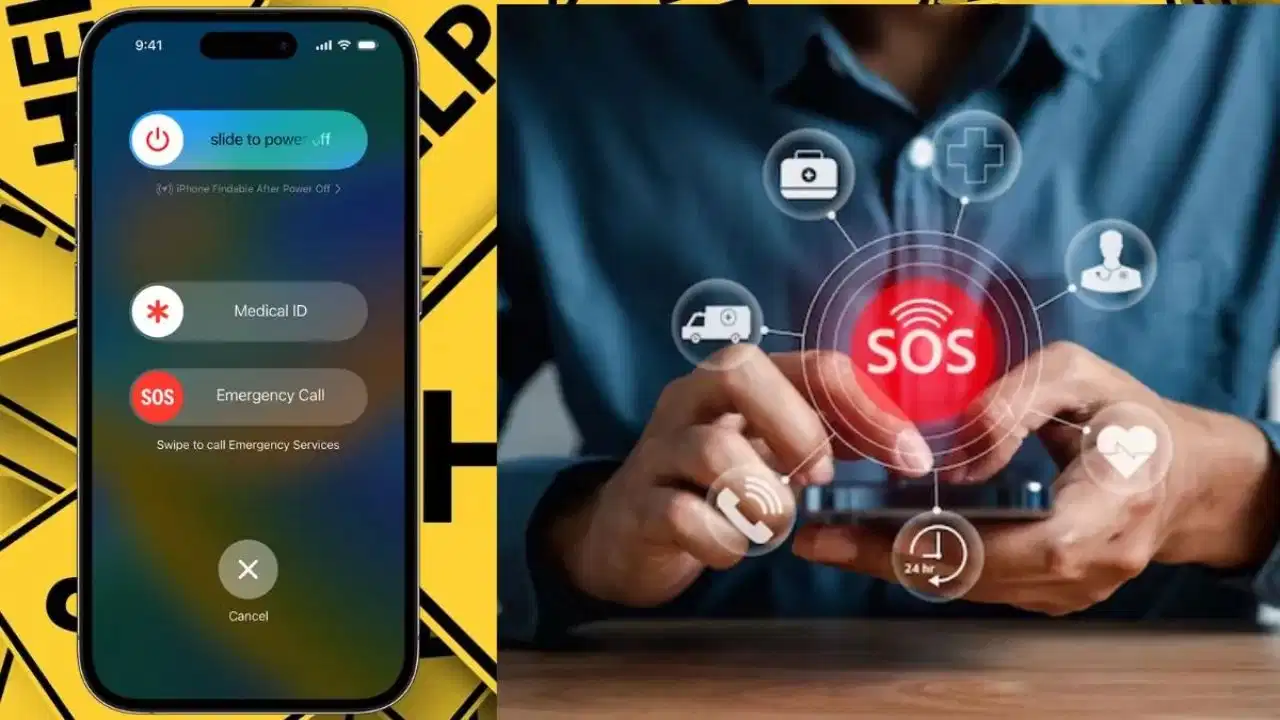
Tezzbuzz Desk- Trouble never comes without warning. In such a situation, your smartphone can not only become a means of making calls and using the internet, but can also become a means of calling help in case of emergency. Nowadays, features like Emergency SOS are provided in iPhone and many Android smartphones, with the help of which help can be sought in difficult situations by pressing a few buttons.
Before using Emergency SOS, it is important to understand its settings and update necessary information. Along with adding emergency contacts, features like medical information and location sharing can also be activated as per the need.
How does Emergency SOS work?
If you are involved in an accident, have a sudden fall, or are in a situation where normal use of the phone is not possible, Emergency SOS can be helpful. The phone can initiate an emergency call when a designated button is pressed. Some devices also have the facility to send messages or location to emergency contacts. However, SOS features are not the same in all smartphones. Options may vary depending on phone model, operating system and region.
How to activate Emergency SOS in iPhone
To set up Emergency SOS in iPhone, open Settings and go to the Emergency SOS section. You can choose the method of SOS call according to the options available here.
By activating options like Call with Hold and Release, an emergency call can be initiated by pressing the side button and volume button. In some models, an option to press the side button five times is also available.
After this, it will be useful to update the Medical ID by going to the Health app. Necessary medical information and emergency contacts can be added to it. If the Show When Locked option is available, by activating it, important medical information can be seen even from the lock screen.
Some new iPhone models also offer features like serious car crash detection. Availability may vary by device and region.
How to setup SOS in Android phone
Emergency SOS settings in Android smartphones may vary depending on the phone manufacturer and Android version. Usually, SOS related options are found in Safety & emergency or similar section in Settings.
First of all, add your family or a trusted person to Emergency contacts. After this enter the necessary information in Medical information. If there is an option to show medical information on the lock screen, then it can be activated as per your need.
Set the SOS trigger according to the instructions in the Emergency SOS section. Many devices offer the option to initiate SOS by quickly pressing the power button multiple times. Some phones also have features like location sharing and video recording along with emergency contacts.
In phones like Google Pixel and Samsung, options related to SOS and Safety can be found in different menus. Therefore, it is important to check the settings according to your phone model.
Be sure to add emergency contacts
Emergency SOS can be of maximum benefit only if reliable emergency contacts are already saved in the phone. Add the number of a family member or person who can be contacted immediately if needed. After adding the contact, also tell the concerned person that his number has been included in your Emergency SOS. With this, in case of any alert, he will be able to understand it and take appropriate steps.
It is also important to keep medical information updated
If you have any allergies or have medical information that could be important for doctors in an emergency, it can be kept updated in the Medical ID or Medical Information section available in the phone. Also, keep checking from time to time that the old phone number or such contact is not saved which can no longer be contacted.
Do test after setting SOS
After making the settings, see how the Emergency SOS option is activated in your phone. However, avoid triggering an actual emergency call unnecessarily. Instead carefully read the demo or instructions given in the phone's settings. Also check that emergency contacts are correct, medical information is up to date, and how location sharing will work if needed.
What will happen if there is no network?
Emergency SOS does not work the same for every phone and in every area. Mobile network may be required for normal emergency calls. Some devices also offer the option of emergency assistance via satellite, but this feature depends on the model, country and available service. Therefore, do not assume that SOS will work everywhere without network. Be sure to check the information about the features available for your smartphone model and region in advance.
Emergency SOS is a useful safety feature, but it should not be considered a substitute for emergency services. Keep your phone's software updated, keep emergency contacts in order, and familiarize yourself with the SOS options available on your device.